Your phone is not just entertainment during an outage. It can be your weather radio, utility alert screen, flashlight backup, contact list, map, and way to check on family.
A simple battery plan can stretch one charge much longer. You need a few settings, a charging order, and a rule that the phone is for communication until power is stable again.
This guide keeps the advice calm and practical. It is meant for regular households, renters, families, pet owners, and neighbors who want a workable plan without panic buying or fear-based language.
For a stronger plan, pair this guide with our choose emergency lights, protect food during an outage, and build a basic home emergency kit. Preparedness works best when the food, light, phone, document, pet, and neighbor-check pieces support each other.
Start with the safest first move
Saving phone battery during a power outage is easier when the first step is boring and clear. Pause, look for immediate hazards, and avoid creating a second problem while trying to solve the first one.
First checks
- Make sure people and pets are safe before sorting supplies.
- Check local alerts or utility information when service is available.
- Avoid downed lines, floodwater, gas smells, and unsafe heat sources.
- Write down important times, temperatures, or instructions.
A calm first move protects the rest of the plan.
Build the plan around communication, alerts, and backup charging
The best saving phone battery during a power outage plan fits the way your household actually works. A renter, a homeowner, a person living alone, a family with pets, and someone caring for an older adult may need different details.
Practical planning points
- Store supplies where they will be used.
- Keep instructions simple enough to follow when tired.
- Assign a person to the first important task.
- Review the plan before storm season and after real outages.
A usable plan beats a perfect plan that nobody remembers.
Keep communication simple
Communication can fail when phones die, networks slow down, or people keep calling each other for updates. Decide how the household will check in before everyone is stressed.
Communication checklist
- Use text messages when networks are busy.
- Save phone battery for alerts, maps, and urgent calls.
- Write important numbers on paper.
- Choose a backup contact outside the affected area if helpful.
Short, planned updates reduce confusion and save battery.
Think through night, pets, and special needs
Many checklists fail because they imagine a calm afternoon. Real outages and storms often happen at night, with pets underfoot, tired people, medication schedules, and dark hallways.
Often-forgotten details
- Set lights near beds, bathrooms, and stairs.
- Keep pet leashes, carriers, and food easy to reach.
- Know which medications or devices need power or refrigeration.
- Keep shoes and a flashlight near sleeping areas.
Planning for ordinary friction makes the whole setup safer.
Use official guidance for safety decisions
General advice can help you prepare, but official local instructions matter during active events. Weather, water, evacuation, shelter, and food safety guidance can change by location.
Where to verify
- Local emergency management alerts.
- Utility outage maps and restoration notices.
- National Weather Service alerts.
- CDC, Ready.gov, EPA, FDA, USDA, AVMA, or local health department guidance when relevant.
Use this guide as a practical checklist, then confirm safety details with the officials responsible for your area.
Reset after the event
The final step in saving phone battery during a power outage is a short reset. Replace what you used, write down what failed, and make the next event easier.
Reset tasks
- Recharge phones, power banks, lights, and radios.
- Replace food, water, batteries, and pet supplies.
- Update notes, contacts, and documents.
- Fix one weak spot while the lesson is fresh.
Preparedness improves fastest right after you learn what did not work.
Simple mistakes to avoid
Most preparedness gaps are ordinary. People store supplies where they cannot reach them, forget to charge the thing they planned to use, or skip official guidance because they are tired.
- Waiting until conditions are unsafe before starting simple tasks.
- Depending on one phone flashlight or one uncharged power bank.
- Ignoring pets, medications, older adults, or special household needs.
- Opening refrigerators, freezers, coolers, or doors repeatedly without a plan.
- Treating a generic checklist as more important than local official instructions.
Official guidance to compare with your plan
For broader outage safety, compare your plan with Ready.gov power outage guidance.
Set a household phone charging order
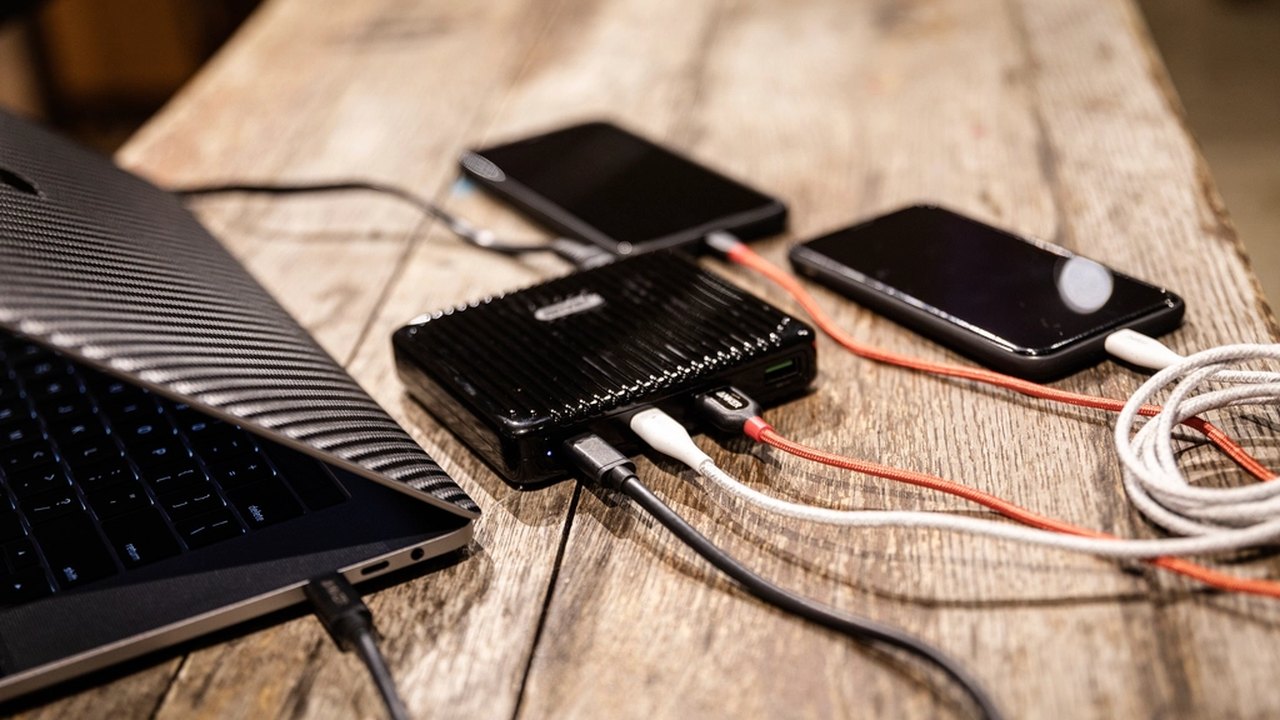
When several people share limited backup power, decide which phone charges first. The priority phone should be the one receiving emergency alerts, utility updates, family messages, medical contacts, and maps. Entertainment devices, tablets, earbuds, and extra phones can wait until the main communication device is stable. This prevents the common outage problem where every device gets a little charge but no device stays useful.
Use short, planned check-in windows. For example, turn off airplane mode or mobile data every hour, send one group text, check utility and weather updates, then go back to battery-saving settings. If cell service is weak, leaving the phone searching constantly can drain power fast. Keep brightness low, close background apps, and avoid video unless it is truly necessary.
After power returns, recharge in layers: phones first, then power banks, rechargeable lights, radios, and battery packs. If the outage was storm-related, do not assume power will stay on. A quick recharge window can matter if another line fails or restoration work causes a second interruption.
Phone settings to change before storm season
Some battery-saving steps are easier before an outage. Download offline maps for your local area, save utility outage pages as bookmarks, and add local emergency management, school, veterinarian, pharmacy, and family contacts to favorites. Remove apps you do not use that send constant notifications. Turn on emergency alerts, but silence nonessential app alerts that can wake the screen repeatedly.
It also helps to know your phone?s battery menu before the lights go out. Find low power mode, battery usage by app, hotspot controls, Bluetooth, Wi-Fi, and location settings. If you can change those quickly, you will not waste ten minutes of screen time searching menus while the battery drops.
Keep one low-tech backup
A phone battery plan should include one backup that does not depend on the phone. Write key numbers on paper, keep a small battery radio or weather radio if your area has frequent storms, and know where your nearest safe charging option might be after a widespread outage. If your phone dies, you should still know how to reach a neighbor, family contact, utility company, local emergency management office, veterinarian, or pharmacy. Low-tech backup is not old-fashioned; it is what keeps one dead battery from becoming a communication failure.
Local notes to add
Before you rely on this guide during a real problem, add two local details: where official updates come from in your area and who you would contact first if the situation changes. That might be your utility outage map, local emergency management office, water provider, county alerts, veterinarian, pharmacy, landlord, or a nearby family member. Preparedness gets stronger when general advice is connected to the exact services, people, and rules that apply where you live.
Final readiness check
Take five minutes to test this plan in the real place where you will use it. Check the shelf, drawer, cooler, charger, document folder, pet kit, or light source mentioned in this guide. If one item is missing, fix that one item now instead of turning the plan into a long shopping list.
Conclusion
A useful plan is one you can repeat when the lights are out, the weather is loud, or everyone is tired. Keep the steps simple, store supplies where they make sense, and review the plan after each real event so the next one is easier.